
Purpose
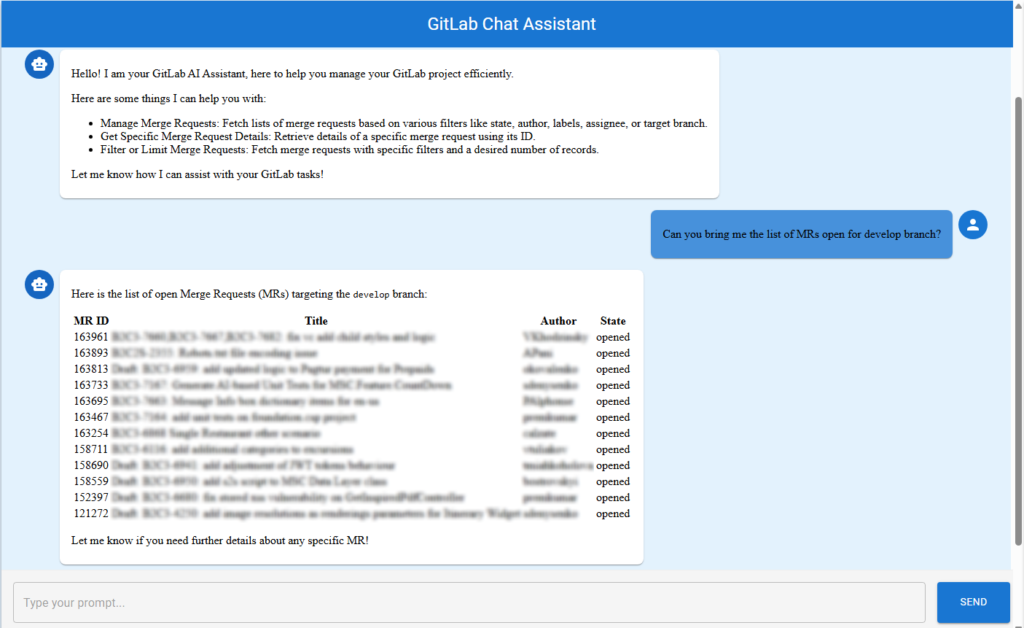
While GitLab offers a robust UI for repository and merge request management, many users want a more conversational, AI-driven experience. Imagine simply typing,
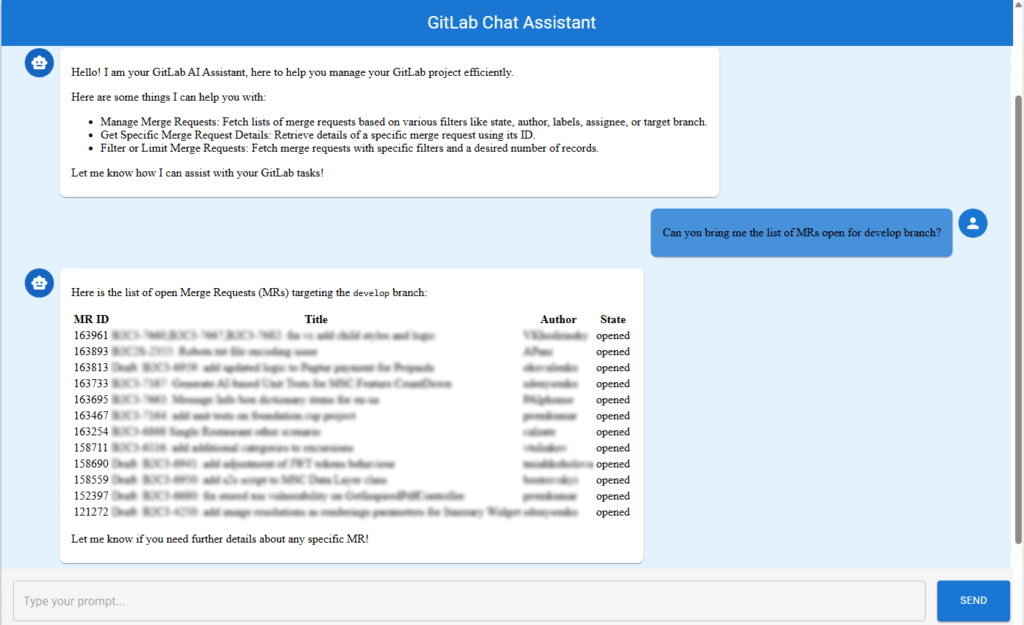
“Show me all open merge requests for the develop branch,”
or
“Generate a report of MRs by author last month,”
and getting instant, actionable results.
GitLab AI Chat Assistant
A GenAI-powered solution that lets users interact with GitLab using natural language, making tasks like fetching merge requests, generating reports, and exploring project data as easy as chatting with a colleague.
Key Highlights
- Backend: Built with .NET 8 for performance, scalability, and modern C# features.
- AI Integration: Utilizes Semantic Kernel plugins to bridge between user prompts and actionable GitLab operations.
- LLM: Powered by Azure OpenAI for high-quality, context-aware natural language understanding and response generation.
- Plugin Architecture: The core logic is encapsulated in a custom
GitLabPlugin, exposing GitLab operations (like fetching MRs) as callable functions for the AI.
How It Works
- User Interaction:
The user types a natural language prompt (e.g., “List all open MRs assigned to me”) into the chat interface. - Prompt Processing:
The prompt is sent to the backend, where the Semantic Kernel interprets the request and, if needed, invokes the appropriate function from theGitLabPlugin. - GitLab Integration:
The plugin uses the GitLab API to fetch data or perform actions, returning results to the Semantic Kernel. - AI Response:
The LLM (Azure OpenAI) formats the response in a conversational, user-friendly way, which is then displayed in the chat UI.
Step-by-Step Architecture Overview
1. User Interaction
- User types a prompt in the chat UI.
- Frontend (React) sends this prompt to the backend API endpoint
/api/prompt.
2. API Layer (PromptController)
- Backend receives the prompt in the
PromptController. - Controller passes the prompt to the
PromptService.
3. PromptService & Semantic Kernel
PromptServicecreates a chat context and passes the prompt to the Semantic Kernel.- Semantic Kernel uses Azure OpenAI and registered plugins (like
GitLabPlugin) to interpret and fulfill the request.
4. GitLabPlugin
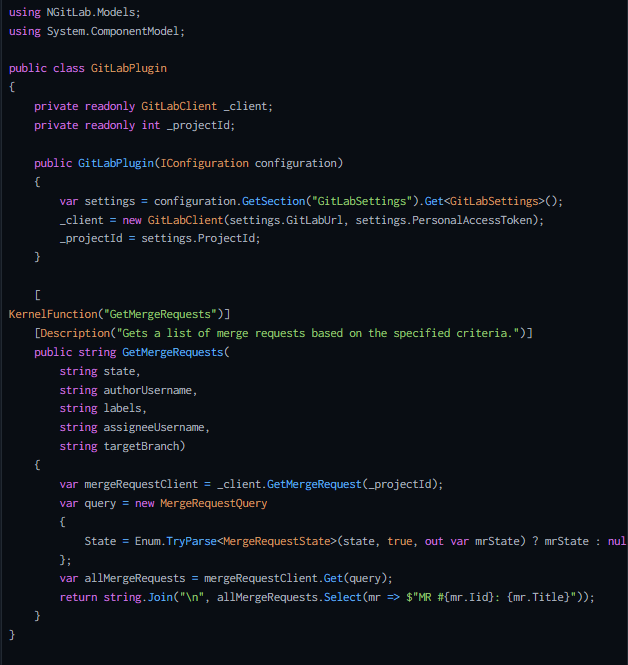
- Exposes GitLab operations as callable functions.
- When the AI decides to call a function, the plugin interacts with the GitLab API, fetches the data, and returns it to the kernel.
5. AI Response
- Semantic Kernel combines plugin data with LLM ’s natural language capabilities to generate a conversational response.
- Response is sent back to the frontend and displayed in the chat UI, with markdown formatting for clarity.
Architecture Diagram

The diagram above shows the flow from user prompt to AI response, including all major components.
Semantic Kernel Setup: Why and How
Why use Semantic Kernel?
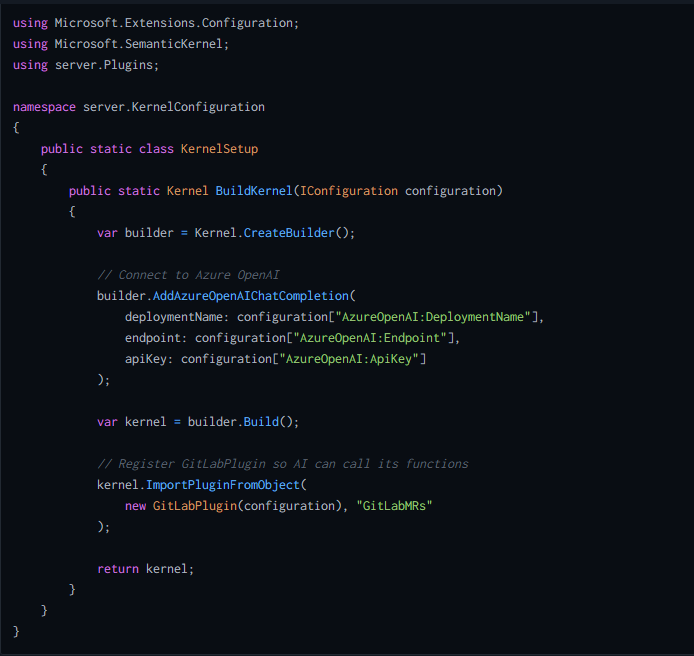
Semantic Kernel is Microsoft’s orchestration library for integrating Large Language Models (LLMs) with your own code and data. In this project, it acts as the “brain” that interprets user prompts, decides which functions (plugins) to call, and combines AI-generated text with real GitLab data.
What does the setup do?
- Configures the connection to Azure OpenAI (your LLM).
- Registers your custom
GitLabPluginso the AI can call real GitLab functions. - Returns a ready-to-use
Kernelinstance for the rest of your app.
Sample Setup Code:
Dependency Injection & Configuration in Program.cs
Why do this?
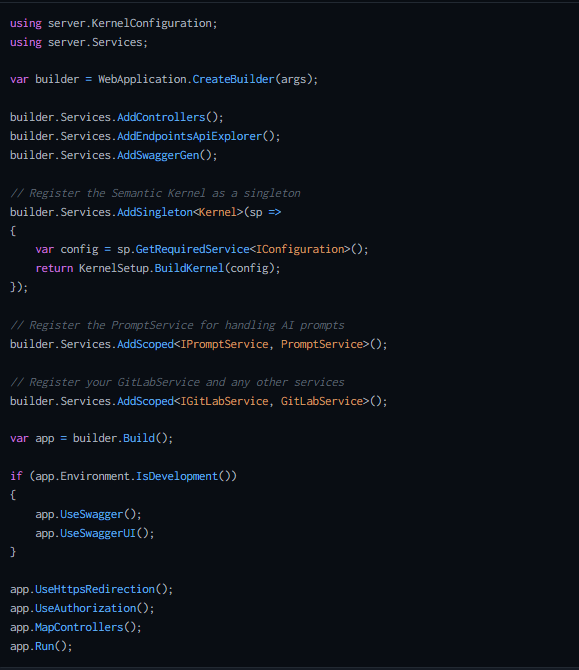
Dependency Injection (DI) is a .NET best practice for managing dependencies and configuration.
By registering the kernel and services in DI, you make them available throughout your app, and you keep your code modular and testable.
Sample Code from Program.cs:
GitLabPlugin: Exposing GitLab Functions to the AI
Here’s a concise, illustrative snippet from your GitLabPlugin that shows how a Semantic Kernel function is exposed to the AI:
Frontend Overview
The frontend is built with React and Material-UI, providing a modern, responsive chat interface.
It communicates with the backend via REST APIs, sending user prompts and displaying AI-generated responses in a chat-like format.
Tech Stack:
- React (TypeScript)
- Material-UI (MUI)
- Axios (for API calls)
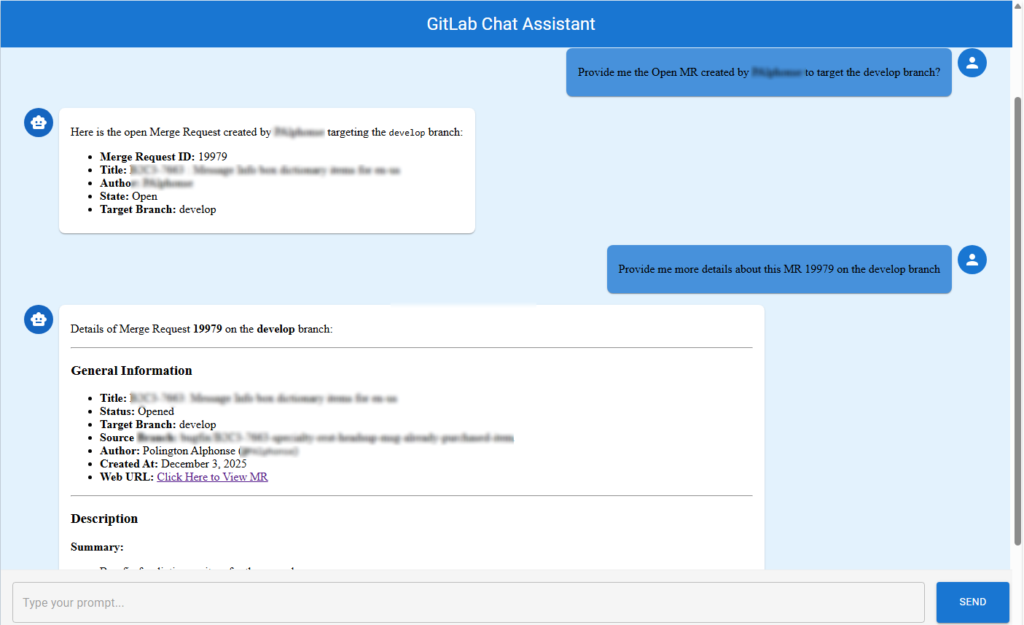
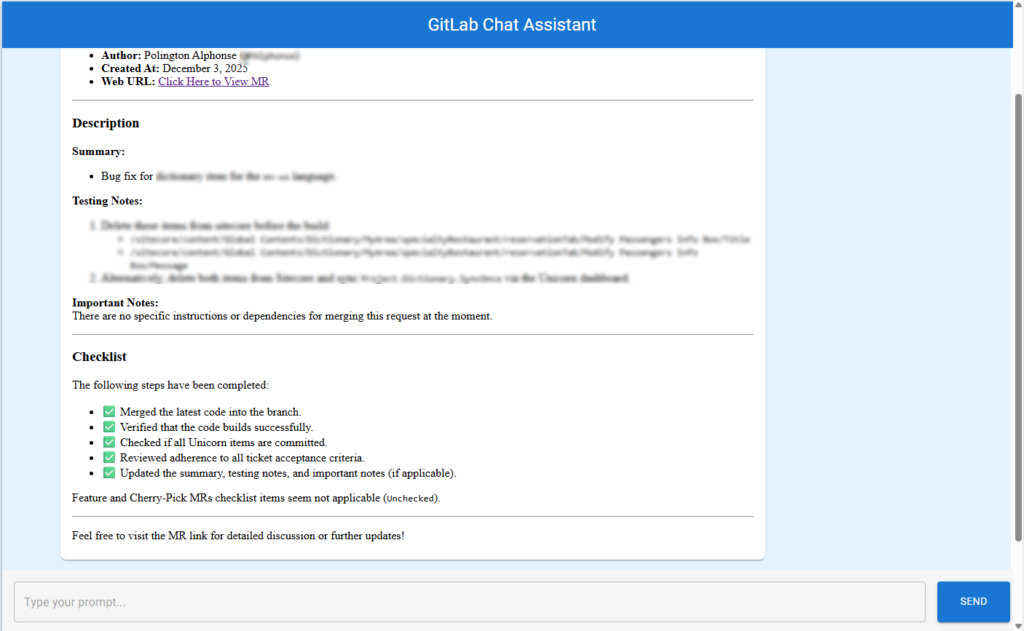
Demo: See It in Action
Conclusion
This solution delivers exclusive AI assistance for GitLab, transforming the way users interact with their DevOps platform.
By combining .NET 8, Semantic Kernel, and Azure OpenAI, developers and project managers can now query, report, and manage GitLab resources using natural language—making DevOps more accessible, efficient, and intelligent than ever before.